Note: Any payments made after 1:00 P.M. CST, will be considered the next business day. Weekends and Holidays do not count as a business day.
Log into your online banking.
Once in the overview screen follow the steps below:
When using the web version (online banking):
Click the “Pay & Transfer” tab and a drop-down will appear.
Click on External Funds Transfer or Loan Payment option.
When using the Mobile App:
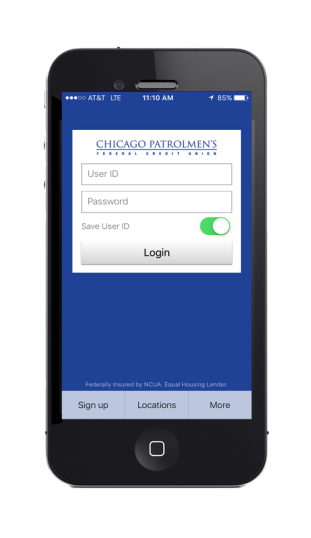
Click on “More” then click External Funds Transfer or Loan Payment option.
Follow the steps below to add an External Bank Account:
If this is the first time using the feature it will state, you have not added your external accounts. Please click here to add.
Once you click on the link, a pop up will appear informing you that you will need the routing number and account number of the other financial institution. Click Continue.
Once you click Continue the External Transfer/ Loan Payment—Add Account screen will appear.
Here you will fill in the displayed information:
Account Type- Drop down will allow you to select Savings, Checking, or Money Market Checking.
Bank name or Routing Number
Account Number twice for verification.
Click Continue
A verification pop up will appear. You must verify information and click Continue.
Clicking Continue will trigger an account verification which will send two trial micro deposits to the account at your other institution within one to three business days. Please note that your other account will have two small deposits and one withdrawal that totals the amount of the two deposits. Once you receive the two trial micro deposits, you will have 10 business days to return to the external funds/loan payment option at NPFCU to complete the validation of the account you added.
Click on the button to validate the account. Enter the amount of the two micro deposits you located on the account you added.
Once you enter the two small amounts successfully it will validate and make the account active. This will allow you to start submitting transfers to and from that account.
Steps to set up a payment with the added External Bank Account:
On the right under “I want to,” click Schedule External Transfer Payment.
“Transfer From”- Drop down will allow you to select the internal or outside account you wish to transfer from.
“Transfer To”- Drop down will allow you to select the internal or outside account you wish to transfer to.
“Amount”- Lets you enter the amount you wish to transfer. You can click on “check our limits” to see your daily and monthly limit. You have the option to Repeat your transaction. Select the drop down on “Repeat” and choose from: Once a month, once a week or once every two weeks. You can then drop down on “Until” and select: until I cancel or after a set number of transfers. Click continue to save this repeat feature.
“Initiate Transfer On”- Lets you select the day you wish to transfer. Please note that 1:00 P.M. CST is the cutoff time for initiating transaction the same day.
“Terms & Conditions”- Make sure to click on the link for terms & conditions and check that box.
Click on Schedule Transfer.
On the right under “I want to,” click Schedule External Transfer Payment.
A pop up will appear- Schedule External Transfer Review. You must click on Schedule Transfer for it to successfully be processed.
You will get a confirmation of your scheduled transfer.
After pressing “continue” you will be taken to the main screen where you can look under “status” to see Processed, Canceled, Recurring. You have the option to cancel as long as it's before 1:00 P.M. the same day of the transaction or any time before a scheduled transaction.
Please note that if you select to cancel an item that’s recurring it will ask if you want to cancel the next transfer or the series. Please make sure to select the correct option and click “Yes”.
If you are having any issues, please contact us via Live Chat request or iTalk at 888-393-9968 during the hours below:
Monday through Friday – 8:00 A.M. to 5:00 P.M. CST
Saturday & Sunday – Closed
Great Offers from National Police Federal Credit Union®
Built-In End of Watch Loan Protection on Every Eligible Mortgage!**